Lumion
Real-time 3D rendering software for architecture and landscape visuals.
Lumion is a standalone, real-time 3D rendering application built by Act-3D B.V., a Dutch software company founded in 1998 in Leiden, Netherlands, that pivoted to architectural visualization and released the first version of Lumion in December 2010. Unlike plugin-based renderers that live inside Revit or SketchUp, Lumion is a separate program: users model in CAD/BIM software, then import or sync geometry into Lumion to apply materials, vegetation, lighting, and atmosphere before rendering stills, panoramas, and video walkthroughs.
According to Lumion's own company materials, the software is used by hundreds of thousands of people across more than 180 countries, including a large share of major architecture firms. Its user base spans licensed architects, landscape architects, interior designers, students, and dedicated archviz artists, and it's among the higher-rated tools in the real-time rendering category.
Lumion's core reputation is that it is the fastest tool to go from a raw 3D model to a client-ready image or video, with a large built-in asset library (over 10,000 objects, plants, people, and materials per Lumion's marketing) that lets users dress a scene quickly via drag-and-drop. It's frequently seen as stronger for exterior, landscape, and site-context visualization than for tight interior photorealism, competing most directly with Enscape, Twinmotion, and at the high end, offline ray tracers like V-Ray and Corona.
Because Lumion is not a live-sync plugin the way Enscape is, workflows built around it typically involve exporting or periodically syncing a model rather than working with instant, continuous updates inside the BIM tool itself -- this is generally a trade-off: Lumion is optimized for producing final, polished presentation output rather than moment-to-moment design iteration.
Lumion is consistently one of the faster real-time renderers to pick up, especially compared to node-based or physically-based offline renderers like V-Ray or Corona. Its intuitive menu structure makes it easy to learn the basics, with most users reporting mastering core functions within roughly a week of regular use.
That said, there's a real distinction between getting acceptable results quickly and mastering the tool for high-end output. While day-to-day operation is genuinely simple, producing top-tier photorealistic interiors, fine-tuning advanced lighting setups, and working around VRAM/hardware limits on complex scenes takes longer experience. Students and junior staff are frequently productive within days, while achieving V-Ray-level interior realism is generally out of reach regardless of learning investment, since that gap is architectural to how Lumion renders.
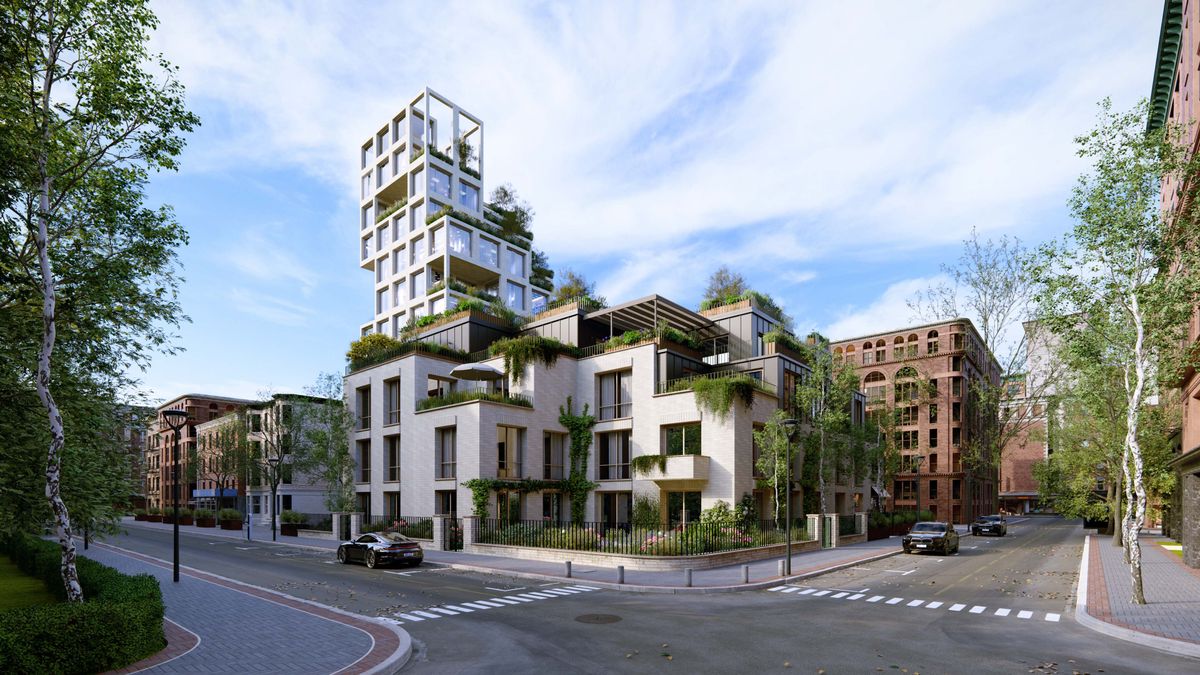
- Small to mid-size architecture firms needing fast client presentationsFirms that need polished stills, panoramas, and walkthrough videos on short turnaround, without a dedicated visualization specialist.
- Landscape architecture practicesLumion's large vegetation/nature asset library and strong atmospheric rendering make it well suited to site and landscape-heavy projects.
- Students and early-career designers building a portfolioThe shallow learning curve and low technical overhead make Lumion a common choice for students and juniors needing presentable renders quickly.
- Exterior/masterplan and urban design visualizationLumion is consistently stronger on exterior and site-context visualization than tight interior photorealism.
- Teams prioritizing animation/video output over hero stillsBecause Lumion renders in real time, producing walkthrough animations is comparatively fast and accessible.
- You need true live-sync design review inside Revit/SketchUp/ArchicadEnscape's native plugin integration is the lower-friction option for continuous design iteration versus Lumion's batch-oriented sync.
- You want a free or lower-cost entry point tied to Unreal Engine qualityTwinmotion offers a free tier and stronger atmospheric rendering, attractive for budget-constrained teams.
- You need top-tier, billboard/brochure-grade photorealismV-Ray's physically accurate ray tracing is the industry standard for pre-sales marketing imagery, at the cost of much longer render times.
- You're a Mac-based studioSince Lumion is Windows-only, Mac shops without a dedicated Windows workstation should look at Enscape/Twinmotion configurations with better cross-platform support.
- You can't commit to hardware investment or ongoing subscription costGiven Lumion's GPU/VRAM demands and subscription-only licensing, teams with older hardware may be better served by cloud-rendered or lighter-weight tools.
How much does Lumion cost?
Lumion is subscription-only: Lumion View starts around $229/year, Lumion Pro runs approximately $1,149/year (or about $2,949 for a 3-year term), and Lumion Studio runs roughly $1,299-$1,500/year. There is no perpetual license.
Is Lumion better than Enscape?
It depends on the workflow. Enscape has a clear edge in live BIM plugin integration and a shallower learning curve. Lumion is generally stronger on rendering quality, atmospheric effects, and asset library size. Teams doing continuous in-model design review tend to prefer Enscape; teams focused on final polished output tend to prefer Lumion.
How does Lumion compare to Twinmotion?
Lumion is often rated slightly higher for ease of use and rendering quality, while Twinmotion is stronger for atmospheric rendering and ease of setup. The biggest practical difference is price: Twinmotion offers a free entry tier, while Lumion is paid-only.
What computer specs do I need to run Lumion well?
Lumion needs a dedicated NVIDIA or AMD GPU with at least 6GB VRAM (8GB+ strongly recommended), since the entire scene must fit in VRAM or performance drops sharply. Complex scenes may need 12-16GB VRAM, and Lumion is Windows-only.
Can Lumion match V-Ray or Corona for photorealism?
Not for top-end, physically accurate output. Lumion uses rendering shortcuts to preserve real-time speed, trading off some accuracy in shadows, reflections, and bounced light versus V-Ray or Corona.
Does Lumion support cloud rendering or a render farm?
Lumion itself is a local, GPU-based real-time renderer, though third-party services such as iRender offer cloud GPU workstations specifically configured to run Lumion remotely for users without adequate local hardware.