AutoCAD
The industry-standard CAD software for 2D drafting and 3D design.
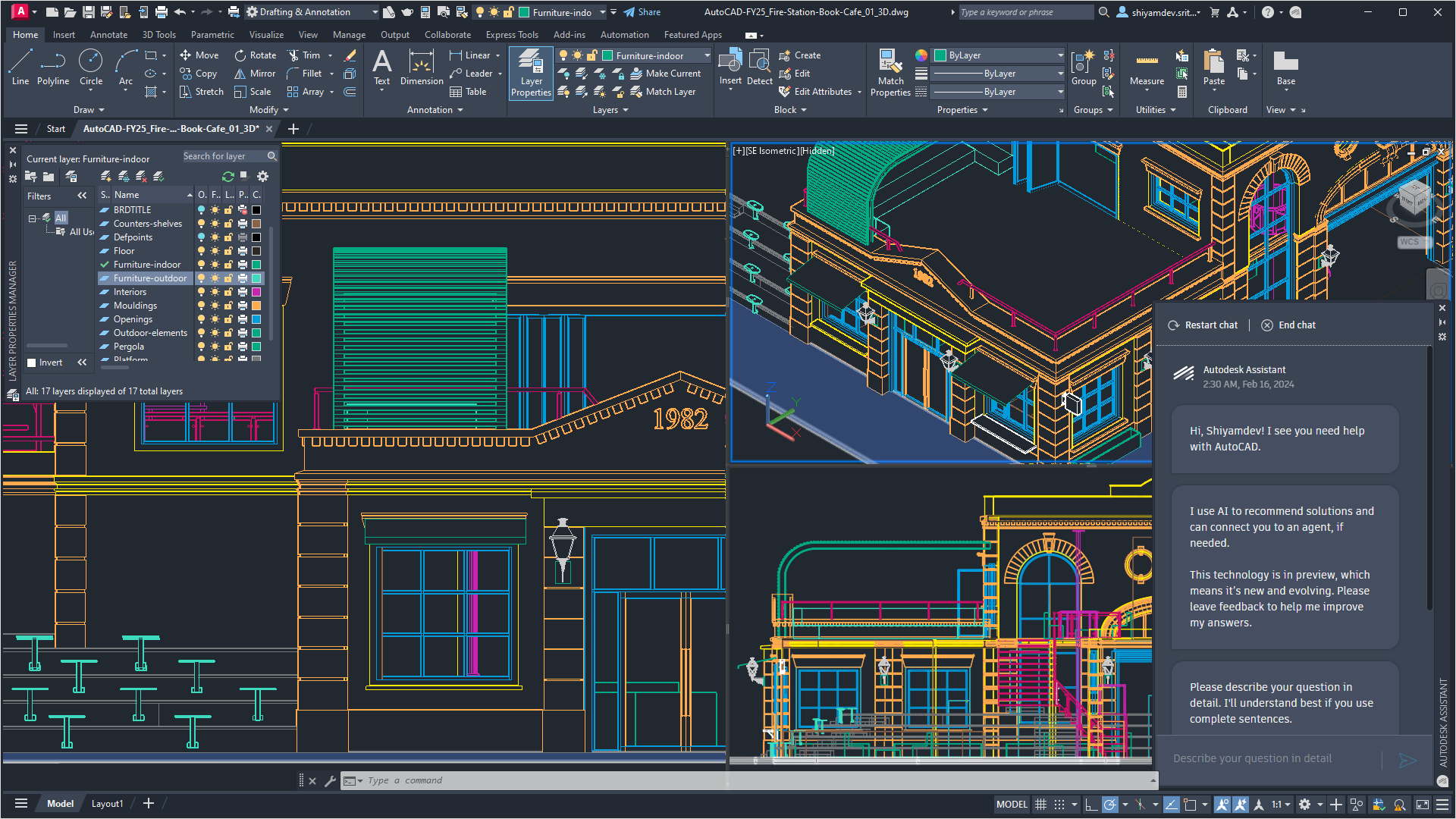
AutoCAD is Autodesk's flagship computer-aided design (CAD) application, first released in December 1982, sold as a subscription product for 2D drafting and 3D design across architecture, engineering, construction, interior design, mechanical design, surveying, and manufacturing. It produces the DWG file format that has become the de facto standard for exchanging CAD drawings across the industry.
The software is used by architects, structural and MEP engineers, drafters, surveyors, contractors, and manufacturers who need precise, scalable technical drawings rather than free-form 3D concept models. Autodesk also ships specialized 'toolsets' bundled into the full AutoCAD subscription (Architecture, Mechanical, Electrical, MEP, Plant 3D, Map 3D, Raster Design) that add industry-specific libraries and automation.
Editor’s takeAutoCAD's reputation rests on being the long-standing generalist standard: it's widely regarded as the industry benchmark for 2D documentation, valued for accuracy and stability in day-to-day technical drawing production. BIM•STACK editor's take: AutoCAD earns its enduring role less through novelty than through sheer consistency -- it does 2D drafting and light 3D geometry reliably, and the DWG format it produces is understood by essentially every other CAD and BIM tool on the market, which makes it a safe common denominator even for firms whose primary authoring platform has moved on to Revit or Archicad.
It is not, however, a Building Information Modeling (BIM) platform in the way Revit or Archicad are -- AutoCAD's 3D toolset is comparatively limited and considerably more complicated to use than dedicated 3D modelers. Autodesk positions AutoCAD as the drafting/documentation layer of its portfolio, with Revit, Civil 3D, and other verticals handling parametric BIM, civil design, and specialty workflows.
AutoCAD's longevity is itself a notable part of its story: having launched in 1982, it predates almost every other tool in this catalog by decades, and its DWG format's dominance is partly a network effect built up over that time -- most AEC firms, manufacturers, and government agencies standardized on DWG well before BIM-native formats like IFC existed, and that installed base is why AutoCAD remains embedded in workflows even at firms whose primary authoring tool is now Revit or Archicad.
The toolset bundling model is worth understanding specifically: rather than selling separate products for each discipline, Autodesk includes AutoCAD Architecture, Mechanical, Electrical, MEP, Plant 3D, Map 3D, and Raster Design toolsets inside the single full AutoCAD subscription, each adding discipline-specific symbol libraries, automation, and drawing standards on top of the same core drafting engine -- a firm doing mixed civil, mechanical, and architectural drafting can switch toolsets within one license rather than buying separate specialized software for each.
AutoCAD also increasingly functions as an entry point into Autodesk's broader ecosystem: AutoCAD Web and the AutoCAD mobile app extend core drafting and markup capability to a browser or tablet, syncing through Autodesk's cloud storage or linked services like OneDrive and Dropbox, and Autodesk's AEC Collection bundles AutoCAD alongside Revit, Civil 3D, and Navisworks for firms that need the full stack rather than any single tool in isolation.
Getting to basic productivity in AutoCAD -- drawing lines, using layers, basic 2D documentation -- is achievable in days to a few weeks, especially with AutoCAD LT. But the climb gets much steeper beyond that once you move into advanced commands, custom blocks, layouts, and especially 3D modeling.
The gap between basic and advanced use is a recurring theme: the sheer size of AutoCAD's command set and toolset library means many users only ever learn a fraction of what the software can do, relying on memorized shortcuts specific to their discipline. Users switching from LT up to full AutoCAD, or into 3D/BIM tools like Revit, face a second learning curve on top of the first.
Because AutoCAD has been the industry standard for four decades, most architecture and engineering programs teach it as a foundational tool alongside or before Revit, so the majority of new AEC graduates arrive at a firm with at least basic AutoCAD proficiency already in hand -- unlike Revit, where firms more often budget for a dedicated internal ramp-up period regardless of a new hire's educational background. That widespread baseline familiarity is one of AutoCAD's quieter competitive advantages: hiring and onboarding friction is generally lower than for tools with a smaller trained talent pool, even when the software itself has a genuinely large total feature surface to master.
- Firms needing universal DWG file compatibilityAEC firms that exchange drawings across multiple companies and software packages benefit from AutoCAD's DWG format being the de facto CAD interchange standard.
- MEP, structural, and technical detailing teamsAutoCAD is particularly strong for producing detailed construction documentation for plumbing, electrical, and other technical trade drawings.
- Mechanical and manufacturing draftersAutoCAD's roots as a mechanical drafting tool make it well suited to manufacturing drawings and shop drawings requiring exact dimensioning.
- Solo drafters and small firms doing 2D-only workAutoCAD LT gives individuals and small businesses an affordable, easy-to-use 2D drafting tool without paying for unused 3D/BIM capability.
- Teams needing a stable, mature production toolAutoCAD is a stable, glitch-free platform for day-to-day drafting production across many concurrent projects.
- You need true parametric BIM for building designFor building-scale architectural or MEP design requiring coordinated 3D models, Revit is Autodesk's own purpose-built BIM tool.
- You just need fast, intuitive 3D concept modelingFor quick 3D visualization or client presentations where pinpoint accuracy isn't the priority, SketchUp is widely cited as easier and faster.
- Your work is civil/site/grading designFor roadway, grading, and civil infrastructure design, Autodesk's own Civil 3D (built on the AutoCAD engine) is the better fit.
- You want a DWG-native tool without the subscription costBricsCAD is frequently cited as reading/writing native DWG files with similar commands, plus a direct-modeling 3D mode.
- You need a free/open-source option for basic parametric workFreeCAD is a free, open-source parametric 3D modeler with an Arch workbench for basic architectural elements.
How much does AutoCAD cost?
Full AutoCAD runs roughly $2,095-$2,940 depending on term length and promotions, while AutoCAD LT runs around $540/year -- both sold as subscriptions rather than perpetual licenses.
What's the difference between AutoCAD and AutoCAD LT?
AutoCAD LT is 2D-only -- it can view but not create or edit 3D geometry, and lacks the industry toolsets and API access available in full AutoCAD, which adds 3D modeling, rendering, and seven industry toolsets.
Is AutoCAD the same as Revit?
No. AutoCAD is a general-purpose 2D/3D drafting tool, while Revit is Autodesk's dedicated BIM platform built around parametric, object-based models and real-time multi-discipline collaboration.
Does AutoCAD have a mobile or web app?
Yes -- AutoCAD Web lets users access core commands for light editing, markups, and viewing from a browser or tablet, syncing through Autodesk's cloud or linked storage like OneDrive/Dropbox.
Is AutoCAD hard to learn?
Basic 2D drafting can be picked up relatively quickly, but there's a steep learning curve for advanced tools, custom blocks, layouts, and 3D modeling.
Why do large AutoCAD files lag or crash?
Heavy hatching, large layer counts, and complex 3D geometry can slow AutoCAD down noticeably, especially when switching layouts -- a recurring complaint among users.