
Civil 3D
CAD software for civil infrastructure design, grading and site development.
Autodesk Civil 3D is a civil engineering design and documentation software built as a vertical extension of AutoCAD, adding intelligent, dynamic objects for grading, corridors, pipe networks, alignments, and surfaces on top of standard AutoCAD drafting tools. It traces its roots to Softdesk, a civil/survey software company Autodesk acquired in the 1990s, with the modern 'Civil 3D' product line launched in 2005.
The software is used primarily by civil engineers, land surveyors, and site/infrastructure designers working on roadway, site development, land development, and municipal utility projects. It's a standard tool for civil infrastructure planning, particularly suited to medium-to-large projects, though it can be overkill for small projects.
Civil 3D's defining feature is its dynamic model-based environment: alignments, profiles, corridors, pipe networks, parcels, and surfaces are linked objects, so a change to one component propagates automatically through dependent design elements -- in contrast to plain AutoCAD, where civil drafting elements are static and updates must be redone by hand.
Civil 3D is widely regarded as the de facto industry standard for site and civil infrastructure design in North America, largely because of its AutoCAD lineage and its integration with the broader Autodesk AEC ecosystem -- Revit, InfraWorks, and Navisworks -- through the AEC Collection bundle. That breadth also underlies its most common criticisms: cost, weight, and complexity.
Civil 3D's learning curve is consistently cited as one of its biggest drawbacks. The difficulty is more about breadth of features than any one hard-to-learn feature, and many configuration menus are described as hidden, meaning even experienced users spend time hunting for settings.
Users who already know AutoCAD have an easier on-ramp for the drafting and annotation side, since Civil 3D shares AutoCAD's command structure and DWG file format. The harder part is mastering the dynamic civil objects themselves -- corridors, assemblies, pipe networks, and surface styles -- which require understanding Autodesk's object-and-style architecture, not just drafting commands. Firms typically budget for structured training and rely on Autodesk's official documentation and community forums to get new hires productive.
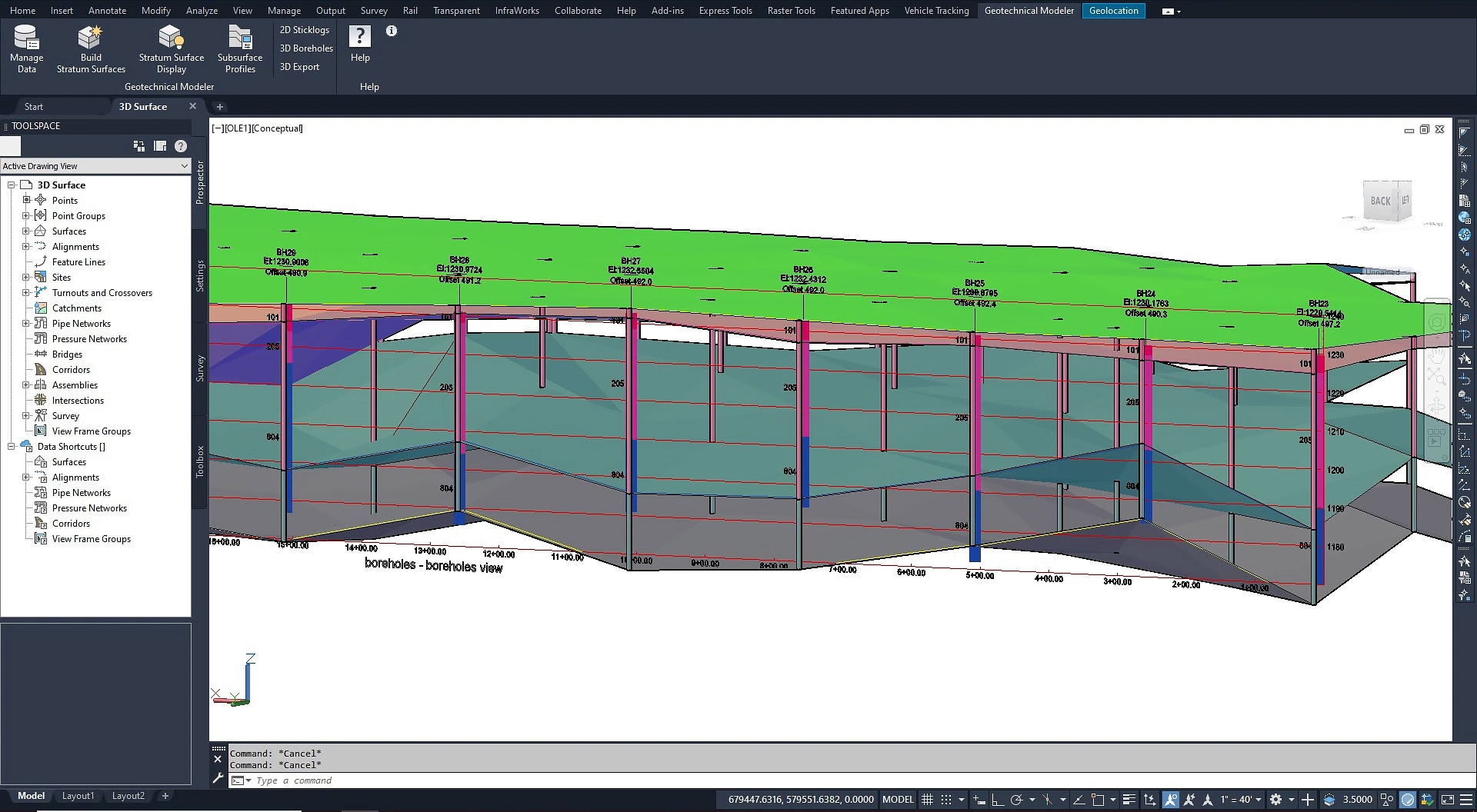
- Site development and land development teamsGrading, parcel, and surface tools are particularly strong for site plans and subdivision/land development work where earthwork and lot layout are central.
- Roadway and corridor designRoad design is a core use case, leveraging corridor modeling and dynamic profile/alignment tools for alignments and cross-sections.
- Municipal and utility infrastructure designPipe network tools for stormwater, sewer, and water reticulation design make it well suited to municipal engineering teams.
- Survey-to-design workflowsThe ability to ingest LiDAR/drone survey data directly into surface models makes it a fit for firms managing the full pipeline from field survey to finished design.
- Firms already standardized on AutoCAD/Autodesk AEC toolsBecause Civil 3D shares AutoCAD's DWG format and bundles into the AEC Collection with Revit, InfraWorks, and Navisworks, it's a natural fit for tight Autodesk-ecosystem interoperability.
- Your team is small and cost-sensitiveCarlson Civil is a commonly cited lower-cost alternative favored by small firms.
- Your projects don't need dynamic civil objectsIf you're only producing basic alignments, cross-sections, and layout plans without automatic recalculation, plain AutoCAD is sufficient and avoids the added cost and complexity.
- You need Bentley-ecosystem interoperability or heavier detailed-design toolsFor organizations needing the depth Bentley's OpenRoads Designer offers for surveying, drainage, and detailed roadway design, it's worth evaluating against Civil 3D directly.
- Your firm wants to avoid mandatory subscription licensingSince Autodesk no longer offers a perpetual license for Civil 3D, firms preferring a one-time purchase should evaluate Carlson Software's survey/civil tools.
- Your machines can't handle heavy, resource-intensive CADPerformance suffers significantly on large models; a lighter-weight DWG-based tool like BricsCAD may be a better fit for lower-capacity hardware.
How much does Autodesk Civil 3D cost?
A standalone annual Civil 3D subscription runs roughly $2,200-$2,900 per year, while the AEC Collection -- which bundles Civil 3D with AutoCAD, Revit, InfraWorks, Navisworks, and other tools -- runs approximately $3,375-$3,795 per year per named user.
Is Civil 3D the same as AutoCAD?
No. Civil 3D is built on top of AutoCAD and includes all standard drafting tools, but adds dynamic, model-based civil objects -- corridors, profiles, pipe networks, parcels, and surfaces -- that automatically update when related design elements change, something plain AutoCAD cannot do.
Can I buy Civil 3D with a perpetual (one-time) license?
No. Autodesk has moved Civil 3D entirely to subscription-based licensing; there is no current perpetual-license purchase option, a specific cost consideration versus alternatives like Carlson Civil.
Is Civil 3D difficult to learn?
The learning curve is steep, mainly due to the breadth of features and settings menus that aren't always easy to locate. Users familiar with AutoCAD have an easier time with the drafting side, but the dynamic civil objects still require dedicated training.
What's included in the AEC Collection, and is it worth it over standalone Civil 3D?
The AEC Collection bundles Civil 3D with AutoCAD, Revit, InfraWorks, Navisworks, and roughly a dozen other Autodesk tools for one subscription price -- generally cheaper than licensing each product separately for firms that also need architectural or coordination tools.
Does Civil 3D perform well on large projects, or does it slow down?
Performance is noticeably slower on large, complex models, large point clouds, or big drawing files, so adequate workstation hardware is important to avoid lag and occasional crashes.
