
Robot
Structural analysis software for verifying building performance and code compliance.
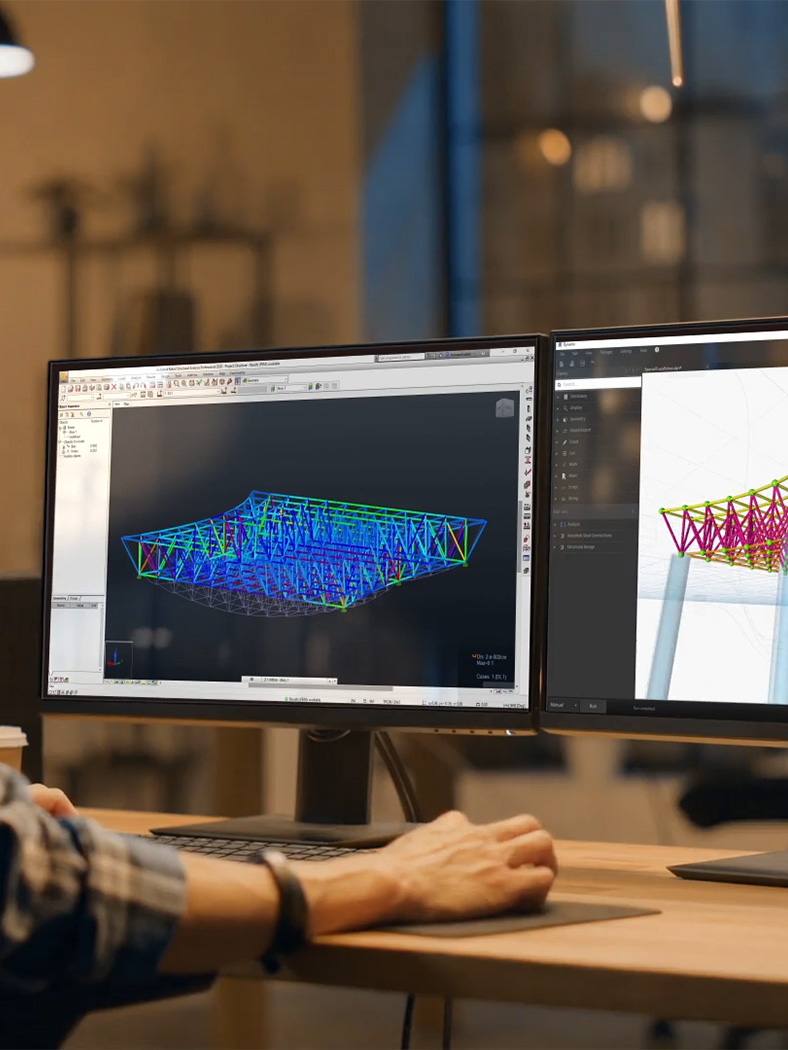
Robot (Autodesk Robot Structural Analysis Professional) is Autodesk's structural analysis software for calculating structural loads, forces and code-compliance checks across a wide range of structural systems and materials, part of Autodesk's broader AEC portfolio alongside Revit, with which it integrates via bidirectional structural-model exchange.
The software supports finite-element analysis across steel, concrete, timber and other structural materials, with a large library of international design codes built in -- letting structural engineers run analysis and code-compliance checks for projects across many different countries' regulatory requirements from within a single tool.
Robot's integration with Revit specifically is a meaningful practical differentiator for firms running integrated BIM workflows: structural engineers can exchange analytical models with Revit's structural design tools, reducing the duplicate modeling effort otherwise required to maintain separate architectural/BIM and structural-analysis models of the same building.
As a long-established part of Autodesk's structural engineering toolset (alongside newer offerings), Robot competes directly with other established structural-analysis platforms like ETABS (also in this catalog) and other finite-element analysis tools, with firms often choosing based on specific structural-system focus, regional code libraries, or existing Autodesk-ecosystem investment.
Robot's analysis engine covers a broad range of structural typologies beyond just buildings -- bridges, industrial structures and other non-building structural systems are within its supported scope, giving it somewhat broader general-purpose applicability than a building-specific tool like ETABS, at the tradeoff of less building-specific specialized functionality in areas like floor-by-floor modeling conventions.
Autodesk has also continued investing in Robot's cloud-analysis capability, letting computationally intensive structural analysis runs execute on cloud infrastructure rather than requiring the full computation to run on a local workstation -- particularly useful for large, complex models where local hardware would otherwise create a meaningful analysis-runtime bottleneck.
Editor’s takeBIM•STACK editor's take: Robot's core value is its tight Revit integration and broad international code-library support, making it a natural choice specifically for structural engineers already working within an Autodesk-centered BIM workflow who want to minimize duplicate modeling between architectural and structural models. Firms should weigh it directly against ETABS and other finite-element tools based on their specific structural-system focus and regional code requirements, since Autodesk doesn't publish simple, transparent pricing for the tool.
Robot's finite-element analysis workflow assumes genuine structural-engineering domain expertise as a prerequisite -- the software supports that expertise rather than teaching it, so structural engineers with existing FEA experience generally adapt fastest.
Firms already using Revit for architectural/structural BIM face a shorter integration learning curve specifically, since Robot's bidirectional model exchange is designed to fit directly into that existing workflow rather than requiring a separate, disconnected analysis process.
Engineers working across multiple international design codes face an additional, ongoing learning investment specific to each code's particular requirements and terminology, though Robot's built-in code libraries substantially reduce the manual lookup work that code-compliance checking would otherwise require.
- Structural engineers in an Autodesk-centered BIM workflowBidirectional Revit integration reduces duplicate architectural/structural modeling effort.
- Firms working across multiple countries' structural codesBroad international code-library support handles multi-region compliance checking in one tool.
- Teams analyzing mixed-material structural systemsFinite-element analysis spans steel, concrete, timber and other materials.
- You want a structural-analysis tool with a different specific focusETABS specializes more specifically in building structural analysis and design -- compare directly for your project types.
- You're not standardized on Revit/AutodeskA structural-analysis tool with stronger integration to your existing BIM authoring tool may fit better.
- You need simple, transparent pricingCompare against tools with clearer published pricing if navigating Autodesk's subscription/bundle structure isn't practical.
What is Robot Structural Analysis used for?
Finite-element structural analysis, load calculation and code-compliance checking across steel, concrete, timber and other structural systems.
Does Robot integrate with Revit?
Yes -- bidirectional exchange of analytical models with Revit's structural design tools.
How much does Robot cost?
Pricing isn't simply published as a single list price -- check current Autodesk subscription plans and bundles.
Who makes Robot Structural Analysis?
Autodesk, as part of its broader AEC software portfolio.
How does Robot compare to ETABS?
Both are established structural-analysis platforms; firms typically choose based on specific structural-system focus, regional code libraries, or existing software-ecosystem investment.
