Revit
Professional BIM software for architecture, engineering and construction.
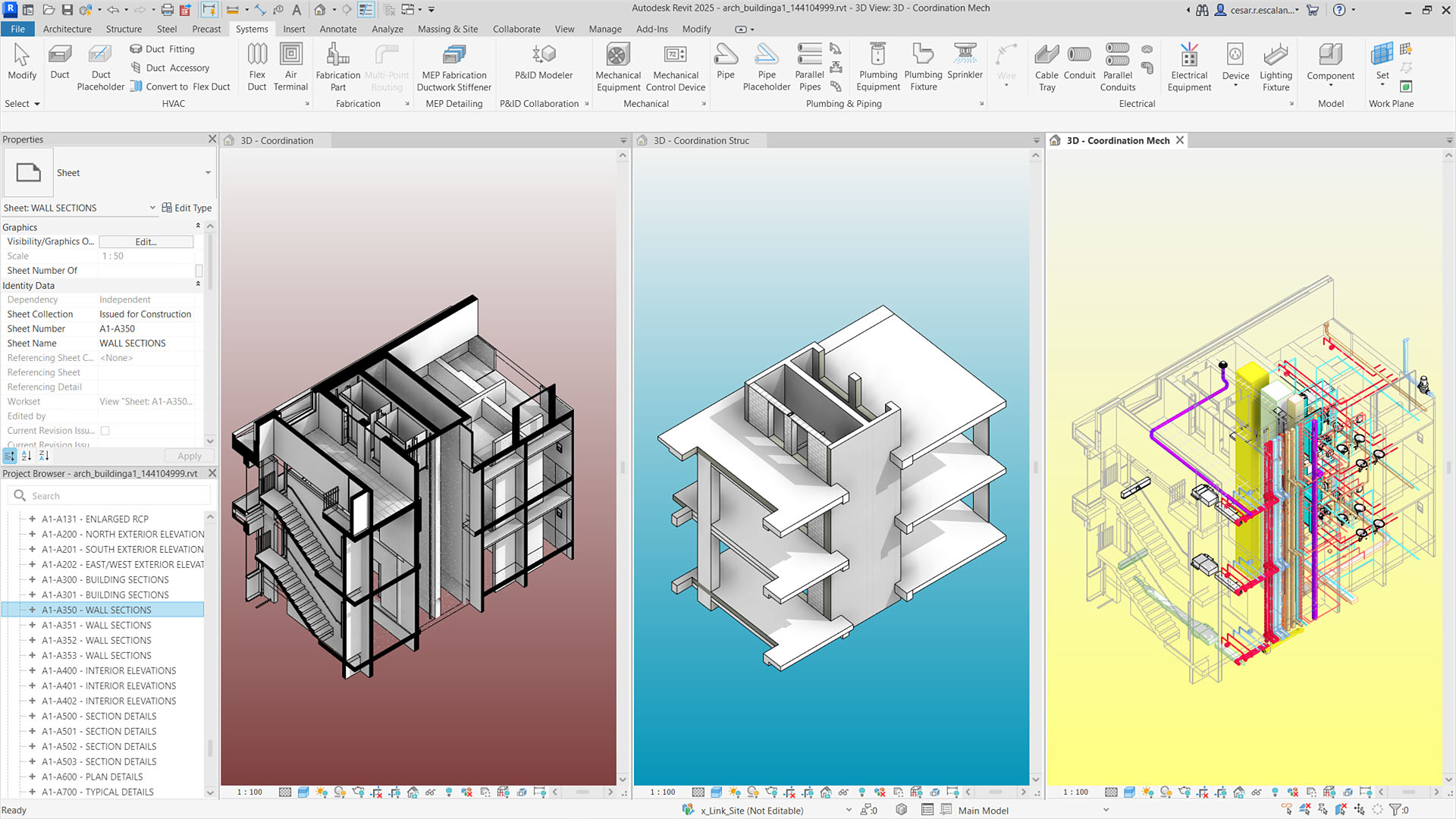
Autodesk Revit is Building Information Modeling (BIM) software used by architects, structural engineers, MEP engineers, and contractors to design, document, and coordinate buildings as a single, data-rich 3D model rather than a set of disconnected 2D drawings. Instead of drafting a floor plan, elevation, and section as separate files, a Revit user builds walls, floors, and systems once as intelligent, parametric objects; every view, schedule, and sheet updates automatically when the model changes. This 'single source of truth' model is the core reason firms adopt it.
Revit was originally developed by Charles River Software (founded 1997, first release in 2000) and acquired by Autodesk in 2002 for $133 million. Autodesk, already dominant in 2D drafting through AutoCAD, used the acquisition to establish a foothold in the emerging BIM market, and Revit went on to become the industry-standard authoring platform that helped drive BIM adoption across the AEC (architecture, engineering, construction) sector.
Today Revit ships in three flavors bundled under one license -- Revit for architecture, Revit for structure, and Revit for MEP (mechanical, electrical, plumbing) -- plus a lighter 'Revit LT' SKU for smaller teams. It's also the default teaching tool at most North American architecture and engineering schools, and Autodesk gives students and educators free one-year licenses, which reinforces its position as the entry point most new AEC professionals learn first.
Within the AEC workflow, Revit typically sits at the center: architects build the base model, structural and MEP teams link in their own Revit models (or import via IFC), and the combined model is used for clash detection, quantity takeoffs, construction documentation, and increasingly for downstream coordination in tools like Autodesk Forma and Navisworks. Its reputation is genuinely bifurcated -- strong on coordination, documentation automation, and industry ubiquity, while cost, learning curve, and performance on large files are the most consistent drawbacks.
Beyond the core authoring tool, Revit sits inside a broader Autodesk ecosystem that firms increasingly rely on as part of the standard workflow. Dynamo, Autodesk's visual programming environment, lets teams automate repetitive modeling tasks and build custom computational-design logic without writing code from scratch, similar in spirit to Grasshopper for Rhino. Autodesk Construction Cloud (formerly BIM 360) extends Revit's local worksharing into cloud-based collaboration, letting distributed teams co-author the same central model and hand off coordinated data to contractors and owners through a shared common data environment. Autodesk also bundles Revit with AutoCAD, Civil 3D, Navisworks, and Insight (for building-performance and energy analysis) in its AEC Collection, which many firms standardize on rather than buying Revit as a standalone product.
Revit follows a predictable annual release cadence, typically shipping one major version each spring, which firms plan their internal upgrade and training cycles around. That release rhythm, combined with Autodesk's long-standing government and enterprise relationships, has helped cement Revit as the default BIM requirement in public-sector and large commercial tenders across North America, the UK, and much of the rest of the world -- ISO 19650-aligned project delivery, in particular, is most commonly implemented on Revit-centric workflows internationally.
Editor’s takeThe BIM•STACK editor recommends Revit as a solid, reliable choice for firms that need serious BIM authoring -- the single-model workflow and cross-discipline coordination genuinely hold up under real project pressure. The honest downside: the learning curve is real and steep, and it can be a genuine adjustment for anyone coming from years of working in 2D CAD to get comfortable thinking in Revit's parametric, model-based way of working.
Revit's learning curve is one of the most consistently repeated complaints. Roughly one to two years for a new user to fully transition to proficiency is a realistic estimate, with the initial complexity overwhelming for new users even though the software becomes intuitive with sustained use. Unlike AutoCAD, where a usable floor plan can be produced within a few days, Revit requires understanding levels, grids, parametric families, and the relationship between the 3D model and its automatically generated 2D documentation before a new user can be productive.
This curve is steepest for people coming from a pure CAD background, since Revit asks users to think in terms of a single connected building model rather than independent drawing views. Firms typically address this with structured onboarding: Autodesk offers official certification and training resources, universities widely teach Revit as the default BIM tool, and many firms budget for a multi-month ramp-up period for new hires before they're contributing independently to production models.
Because so much of the AEC workforce already trains on Revit before entering the job market, firms hiring experienced staff can often shortcut a portion of this ramp-up, though internal office standards, template setup, and content-library conventions still require dedicated onboarding time regardless of prior Revit experience. Autodesk University and Autodesk's official certification exams are the most commonly cited formal training paths, while informal learning -- YouTube tutorials, user forums, and firm-internal mentoring -- fills much of the remaining gap in practice.
- Mid-size to large architecture firms with in-house multidisciplinary teamsRevit adoption concentrates among firms where multiple people need to work on the same model simultaneously across architecture, structure, and MEP.
- Firms that regularly coordinate with structural and MEP consultantsBecause Revit is the de facto standard for structural and MEP modeling too, firms avoid format-translation issues with outside engineering consultants.
- Commercial, institutional, and complex multi-discipline projectsClash detection, automated schedules, and quantity takeoffs pay off most on larger or more complex buildings.
- Firms that need heavy construction documentation outputBecause documentation is generated directly from the model, firms producing large, detailed document sets benefit most.
- Architecture and engineering students and new graduatesRevit is the default software taught at most AEC programs and is free for students, improving employability at firms already standardized on it.
- You're a small residential or interior design practiceRevit can be overkill for small-scale residential work; SketchUp (with LayOut) or Chief Architect are commonly recommended lower-cost, lower-complexity alternatives.
- You're a solo practitioner or freelancer sensitive to costAt roughly $3,005/year per user, Vectorworks Architect or Archicad are worth comparing on price as full BIM alternatives.
- You're Mac-based and don't want to run Windows virtualizationSince Revit has no native macOS version, firms fully committed to macOS often evaluate Archicad or Vectorworks, both of which run natively on Mac.
- You prioritize ease of use and faster onboardingArchicad is generally considered easier to learn, set up, and administer than Revit.
- Your work is primarily early-stage conceptual designTeams focused on conceptual massing and client visuals often prefer SketchUp or Rhino during early design, bringing the model into Revit only once design is further along.
How much does Autodesk Revit cost?
As of 2026, a single named-user Revit subscription runs about $380/month or $3,005/year, per Autodesk's own subscription pricing. Multi-year terms and the AEC Collection (which bundles Revit with other Autodesk tools) offer different pricing structures.
Does Revit run on Mac?
Not natively. Revit is built on Windows-specific technology, and Autodesk has stated it has no plans to build a native macOS version. Mac users typically run it through Parallels, Boot Camp, or a cloud-hosted Windows desktop.
How long does it take to learn Revit?
Basic proficiency for simple documentation tasks can come within weeks, but roughly one to two years of regular use is realistic to become fully proficient across modeling, documentation, and coordination workflows.
What's the difference between Revit and AutoCAD?
AutoCAD is a 2D/basic-3D drafting tool where each view is updated somewhat independently. Revit is a full BIM platform built around one 3D parametric model, from which 2D plans, sections, elevations, and schedules are generated and kept automatically in sync.
Is Revit free for students?
Yes. Autodesk provides eligible students and educators with a free one-year license to the full version of Revit through its education program, renewable while still enrolled, though files made under it are for coursework only.
Is Revit worth it for a small firm?
It depends on project type. Revit's collaboration and coordination features pay off most on larger, multidisciplinary, or documentation-heavy projects; for small residential or interior projects, its cost and complexity are often called out as overkill.