
Navisworks
Autodesk's model-aggregation and clash-detection software, used to combine and coordinate multi-discipline CAD/BIM models before construction.
Navisworks (Autodesk) is model-aggregation and clash-detection software used to combine CAD/BIM models from multiple disciplines and formats into one federated model for review, coordination and 4D/5D construction simulation. It comes in two main editions -- Simulate (visualization and simulation) and Manage (adds clash detection) -- plus a free Freedom viewer for simple model review.
It's the default clash-detection tool for teams already working in the Autodesk ecosystem, valued for catching trade conflicts before construction rather than after. Named customers on Autodesk's own site include Su-Yapi Engineering & Consulting, Cundall, and HDR -- HDR's published case study specifically describes using Navisworks to coordinate a 37-firm federated BIM workflow on the LAX Automated People Mover project, a genuinely large-scale reference for the software's coordination capability at scale.
The recurring limitation is that Navisworks is a review-only tool -- it can flag and document clashes but can't fix the underlying geometry, so users have to return to Revit or another authoring tool to actually resolve what Navisworks found, which can slow down the overall coordination cycle.
Model aggregation across CAD/BIM formats is the foundation everything else is built on: Navisworks can combine Revit, AutoCAD, Civil 3D, SketchUp, and dozens of other native CAD/BIM formats into a single federated model without requiring every discipline's team to convert to a common format first -- a meaningful practical advantage on real projects, where architects, structural engineers, MEP consultants, and contractors rarely all use the same authoring tool.
Clash Detective, the automated clash-detection engine in the Manage edition, lets teams define specific clash rules (say, structural vs. mechanical, or new construction vs. existing conditions) and run them repeatedly against an evolving federated model as design progresses -- each run produces a documented, exportable report of conflicts, which becomes the shared coordination record a project team works through in weekly BIM coordination meetings, a workflow that's become close to an industry standard on any reasonably complex multidisciplinary project.
TimeLiner extends Navisworks beyond spatial clash detection into 4D construction sequencing, linking the federated model to a project schedule so a team can visualize and validate a building sequence before it happens on site -- catching sequencing conflicts (a crane needing clearance a scheduled activity would block, for example) that pure 2D schedule review wouldn't surface. Combined with photorealistic visualization and walkthrough tools, Navisworks positions itself less as a single-purpose clash checker and more as the central review and simulation hub for a project's entire coordination process.
At $145/month (Navisworks Simulate, billed annually at $1,145/year), Navisworks sits in the high price band of this catalog, reflecting its role as specialized coordination software for firms already running full BIM workflows rather than a general-purpose tool -- most firms license it for a smaller subset of dedicated BIM coordinators rather than every project team member, since its core function (federating and clash-checking models others authored) doesn't require every modeler to also own a Navisworks seat.
Editor’s takeBIM•STACK editor's take: Navisworks earns its place as the default coordination and clash-detection tool in Autodesk-centric workflows because it does the one job it's built for -- aggregating multi-format models and catching conflicts before they hit the field -- extremely well, backed by named customer references (Su-Yapi, Cundall, HDR's 37-firm LAX Automated People Mover coordination) that reflect genuinely complex, real-world multidisciplinary coordination. The honest limitation to plan around is that Navisworks is purely a review tool: every clash it finds still has to be fixed back in the original authoring software, so it works best as part of a disciplined, recurring coordination cycle rather than a one-time end-of-project check.
The basics -- opening a federated model, running a simple clash test -- are approachable quickly, especially for teams already using other Autodesk tools.
Advanced features (custom clash rules, Sets and Selection Sets, TimeLiner scheduling) take real dedicated training to use confidently, particularly for occasional users.
Because Navisworks is typically owned by a smaller group of dedicated BIM coordinators rather than every project team member, firms often concentrate training investment on that specific role rather than spreading it thinly across the whole team -- a coordinator who runs clash detection weekly builds real fluency with Sets, Selection Sets, and TimeLiner quickly through repeated use, while an occasional user who only opens Navisworks a few times a project understandably retains less.
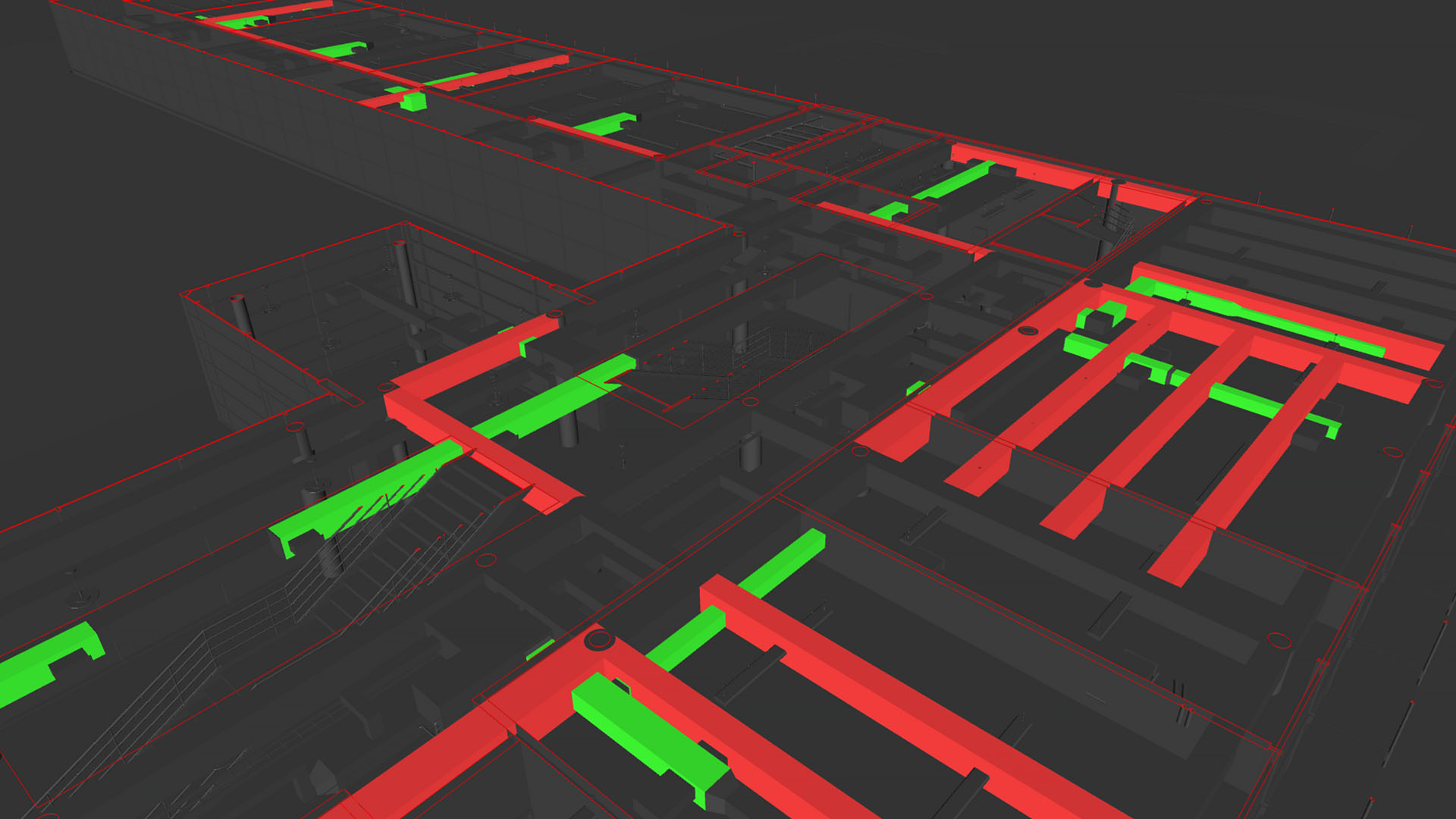
- Multi-discipline coordination on complex projectsThe core use case -- catching conflicts between architectural, structural and MEP models before they reach the job site.
- Teams already standardized on Autodesk authoring toolsTightest interoperability is with Revit, AutoCAD and Civil 3D models specifically.
- 4D construction sequencing and phasing reviewsTimeLiner's schedule-linked simulation is a distinct use case beyond pure clash detection.
- You want to fix clashes without switching applicationsSome newer coordination tools aim to shorten the round-trip between finding and fixing a clash -- worth comparing workflow, not just clash-detection accuracy.
- Your team isn't already in the Autodesk ecosystemTightest interoperability is with Revit/AutoCAD/Civil 3D -- a non-Autodesk-centric pipeline may get more value from a format-agnostic coordination tool.
- You need transparent, published pricing upfrontAutodesk requires going through sales or a reseller for Navisworks pricing rather than publishing it directly.
Can Navisworks edit models directly?
No -- it's a review and coordination tool. Clashes and issues found in Navisworks have to be fixed back in the original authoring software (e.g. Revit).
What's the difference between Navisworks Simulate and Manage?
Manage includes clash detection; Simulate covers visualization and construction simulation but not clash detection. Freedom is a free viewer-only edition.
Is Navisworks hard to learn?
Basic model review and simple clash tests are approachable quickly, but advanced clash rules and scheduling features take real dedicated learning time.
How much does Navisworks cost?
Autodesk doesn't publish transparent list pricing -- you'll need to contact Autodesk sales or an authorized reseller for a current quote.

