
RayCAD
Revit plugin that automatically tags a whole HVAC or piping view to a firm's drafting standard in one run, reading the model through the Revit API without sending data to external servers.
RayCAD is a Revit plugin that automates the tagging of HVAC and piping drawings, built by XRay Labs Inc. and backed by gradCapital, an early-stage investor the company names directly on its own about page -- a pre-seed round the company announced publicly rather than keeping quiet about its funding stage.
The company is built by two brothers: Mohit Panchal, a senior undergraduate at IIT Gandhinagar who took a break from his computer-science studies to build RayCAD full time, and Poojan Panchal, who left a four-year run as an SDE 2 at Amazon to co-found the company -- a founding story the company tells plainly on its about page rather than dressing up with vaguer titles.
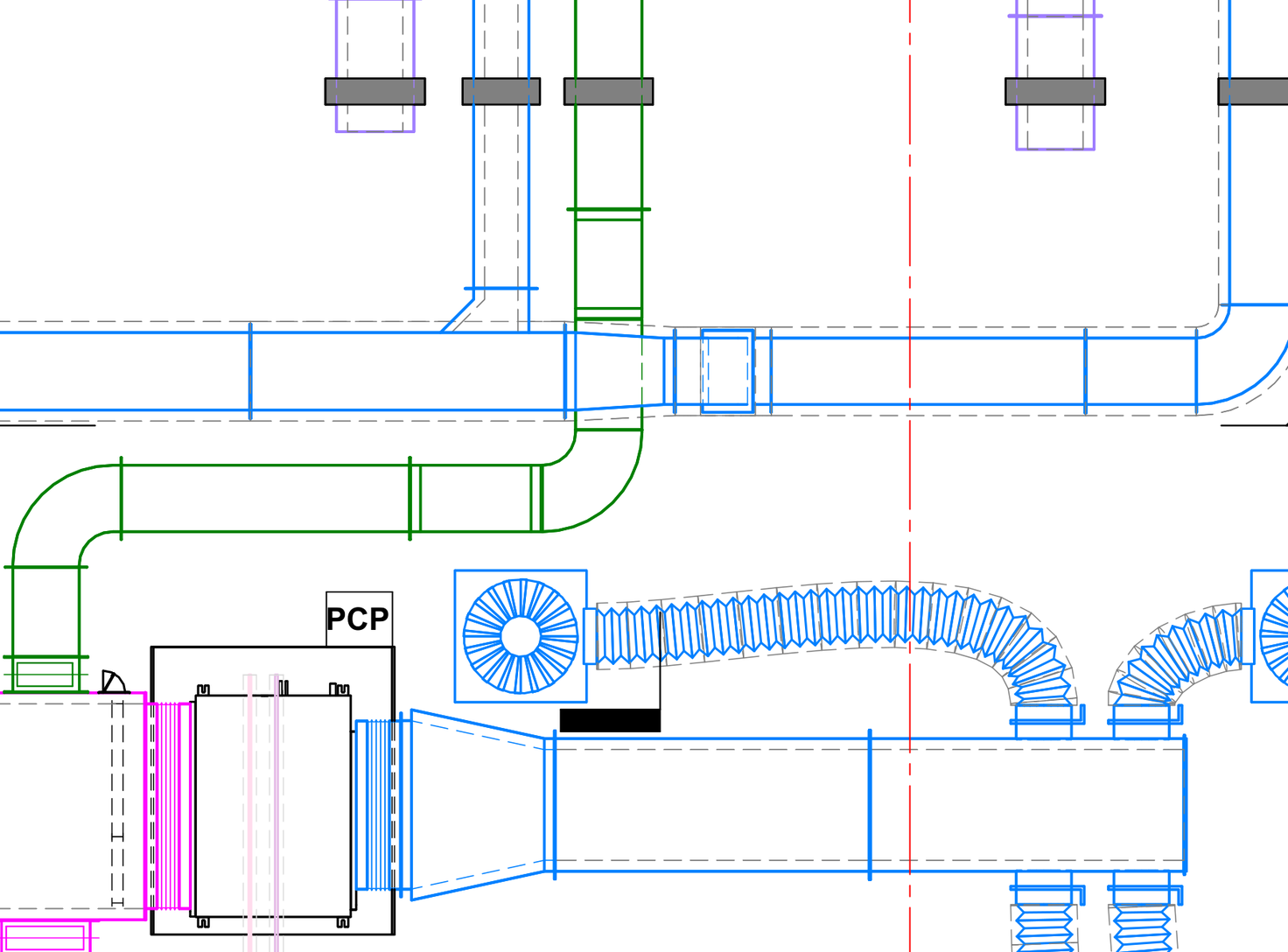
The core workflow targets a specific, well-understood MEP drafting pain point: tagging every duct, pipe, fitting, air terminal and piece of equipment in a Revit view by hand, run by run, sheet by sheet. RayCAD reads the model through the Revit API, applies a firm's own configured rules for where a tag belongs and which tag family to use, and places every tag in a view in one run -- without generating any tag text itself, since each tag still reads its values directly from the model element it's attached to, which the company argues means a tag placed by RayCAD can't come out factually wrong the way a hand-typed one occasionally does.
A second tool, Connect Conduits, extends the same automation into 3D routing -- modeling the elbows and straight runs between two conduits across different offsets and axes while respecting minimum bend radius -- and a third, broader tool called Harness (described as a generic way to bring AI models into Revit and other AEC software) is listed as coming soon, suggesting the company's ambitions extend beyond tagging specifically over time.
RayCAD runs entirely on the user's own machine rather than sending model data to external servers -- the company states plainly that models, views and families never reach its servers, that the plugin touches nothing but its own tags (not the model, other tags, or any parameters), that a failed run rolls back automatically, and that a whole tagging run is a single step in Revit's own undo history, addressing several of the specific, well-known reasons firms have historically been wary of installing third-party Revit plugins.
The company works closely with Orbit Engineering Services, an Australian HVAC detailing firm with Sydney Metro among its past projects, whose director Vipul Panchal is quoted stating RayCAD cut the firm's tagging time by over 70%, letting it take on roughly 1.5x more projects with the same team; a second named reviewer, Soumyajit Das, director at India's Bimtrack Engineering Pvt Ltd, is quoted describing tagging now taking about a third of the time it used to. Pricing is a single flat rate rather than per-seat licensing: a 15-day free trial with every feature and no usage cap, then $200 per month for the entire firm, covering all tools, unlimited licenses and unlimited usage, with the company noting this early "founding price" has a limited number of spots remaining.
Editor’s takeBIM•STACK editor's take: RayCAD's genuine strength is how narrowly and completely it solves one specific, tedious MEP drafting task -- automated, rule-based tag placement that reads a firm's own tag families rather than generating text, so output can't drift from what the model actually says -- paired with a refreshingly transparent founding story and a flat, firm-wide price that undercuts the usual per-seat SaaS model for this kind of plugin. The tagging scope is deliberately narrow (HVAC and piping today, with electrical and fire protection still coming), so firms whose immediate need spans more trades should factor that roadmap timing into the decision, but for MEP-heavy firms drowning in manual tag placement specifically, the combination of a real, quantified case study and a genuinely low-risk trial makes this an easy one to test firsthand.
RayCAD's setup is a one-time configuration step: a firm maps its own element families to its own tag families, and sets rules for where a tag belongs, how often one repeats along a run, and the shortest run length worth tagging -- once that configuration exists, every future run reuses it automatically, so the ongoing per-run workflow is select a view, run it, and review the result.
Because RayCAD sits in its own tab on Revit's existing ribbon rather than opening a separate application, drafters already fluent in Revit generally find the day-to-day operation (select view, configure or reuse a preset, run, review) quick to pick up without a lengthy formal training process.
The genuinely free, full-featured 15-day trial is designed specifically to let a firm test the configuration and results against its own real drawing sets before committing, which is the most direct way to gauge the actual learning curve and time savings for a specific firm's drafting standard rather than relying on vendor-reported figures alone.
- MEP detailing and HVAC firms doing high-volume manual taggingDirectly automates the specific, tedious task of placing tags across HVAC and piping views to a firm's standard.
- Firms wanting tag accuracy tied directly to the modelTags read their values from model elements rather than being generated or typed, reducing a known source of drafting errors.
- Teams wary of third-party plugins touching their modelsRuns locally, touches only its own tags, and rolls back failed runs -- addressing common plugin-adoption concerns directly.
- Firms wanting to test real time savings before committingThe 15-day, full-featured, no-credit-card trial is built for exactly that evaluation.
- You need electrical or fire-protection tagging todayThose trades are on RayCAD's roadmap but not yet available -- verify current status directly before committing to that specific need.
- You need broader MEP system design automation, not just taggingAugmenta targets autonomous electrical system design and routing, a different and broader scope than tag placement.
- You need a non-Revit BIM authoring toolRayCAD is a native Revit plugin and doesn't help firms working primarily in Archicad, Vectorworks or other platforms.
What is RayCAD used for?
Automatically tagging a whole HVAC or piping view in Revit in one run, placed to a firm's own drafting standard using its own tag families.
How much does RayCAD cost?
Free for a 15-day full-featured trial, then $200/month for the whole firm (unlimited licenses and usage), at the company's current early "founding price."
Does RayCAD send model data to external servers?
No -- RayCAD runs on the user's own machine and reads the model through the Revit API; models, views and families never reach RayCAD's servers.
What trades and elements does RayCAD tag?
HVAC and piping today -- ducts, flex ducts, air terminals, mechanical equipment, duct fittings, pipes, pipe accessories and pipe fittings. Electrical and fire protection are listed as coming soon.
Which Revit versions does RayCAD support?
Revit 2021 through 2027, from a single installer that the company keeps updated as new Revit releases ship.
Who founded RayCAD?
Brothers Mohit Panchal (on break from computer-science studies at IIT Gandhinagar) and Poojan Panchal (previously an SDE 2 at Amazon for four years); the company is XRay Labs Inc., backed by gradCapital.
Who uses RayCAD?
Named customers include Orbit Engineering Services, an Australian HVAC detailing firm, and Bimtrack Engineering Pvt Ltd in India, both quoted directly on RayCAD's site.